Building Templates in Argo#
Templating in argo was one of the more difficult things for me to fully wrap my head around. But perhaps this is more due to my lack of experience prior with code based deployments before, but once I played with it for a few days I really got the hang of it and would even at times… Wait for it… Submit workflows without any linting errors on the first try - Go me?
Introduction to Argo Templates#
Argo templates are made in yaml files. This makes it easy to whip something up, but also very easy to make simple mistakes. Luckily argo provides a fairly useful linting engine that runs over every submission.
If you really want to get a full understanding of the templating available in argo, please visit their Documentation by Example.
They have over 50 examples of different ways to configure the workflows
For simplicity sake, I am using portions of their Hello World examples here as they illustrate the needs and capabilities perfectly. It also ensures we use only recommend best practices.
Getting Started#
Let’s start by creating a very simple workflow template to echo “hello world” using the docker/whalesay container image from DockerHub.
You can run this directly from your shell with a simple docker command:
$ docker run docker/whalesay cowsay "hello world"
 _____________
< hello world >
 -------------
    \
     \
      \
                    ##        .
              ## ## ##       ==
           ## ## ## ##      ===
       /""""""""""""""""___/ ===
  ~~~ {~~ ~~~~ ~~~ ~~~~ ~~ ~ /  ===- ~~~
       \______ o          __/
        \    \        __/
          \____\______/

Hello from Docker!
This message shows that your installation appears to be working correctly.
Below, we run the same container on a Kubernetes cluster using an Argo workflow template.
Be sure to read the comments as they provide useful explanations.
| |
Argo adds a new kind of Kubernetes spec called a Workflow. The above spec contains a single template called whalesay which runs the docker/whalesay container and invokes cowsay "hello world". The whalesay template is the entrypoint for the spec. The entrypoint specifies the initial template that should be invoked when the workflow spec is executed by Kubernetes. Being able to specify the entrypoint is more useful when there is more than one template defined in the Kubernetes workflow spec. 🙂
Parameters#
Let’s look at a slightly more complex workflow spec with parameters.
| |
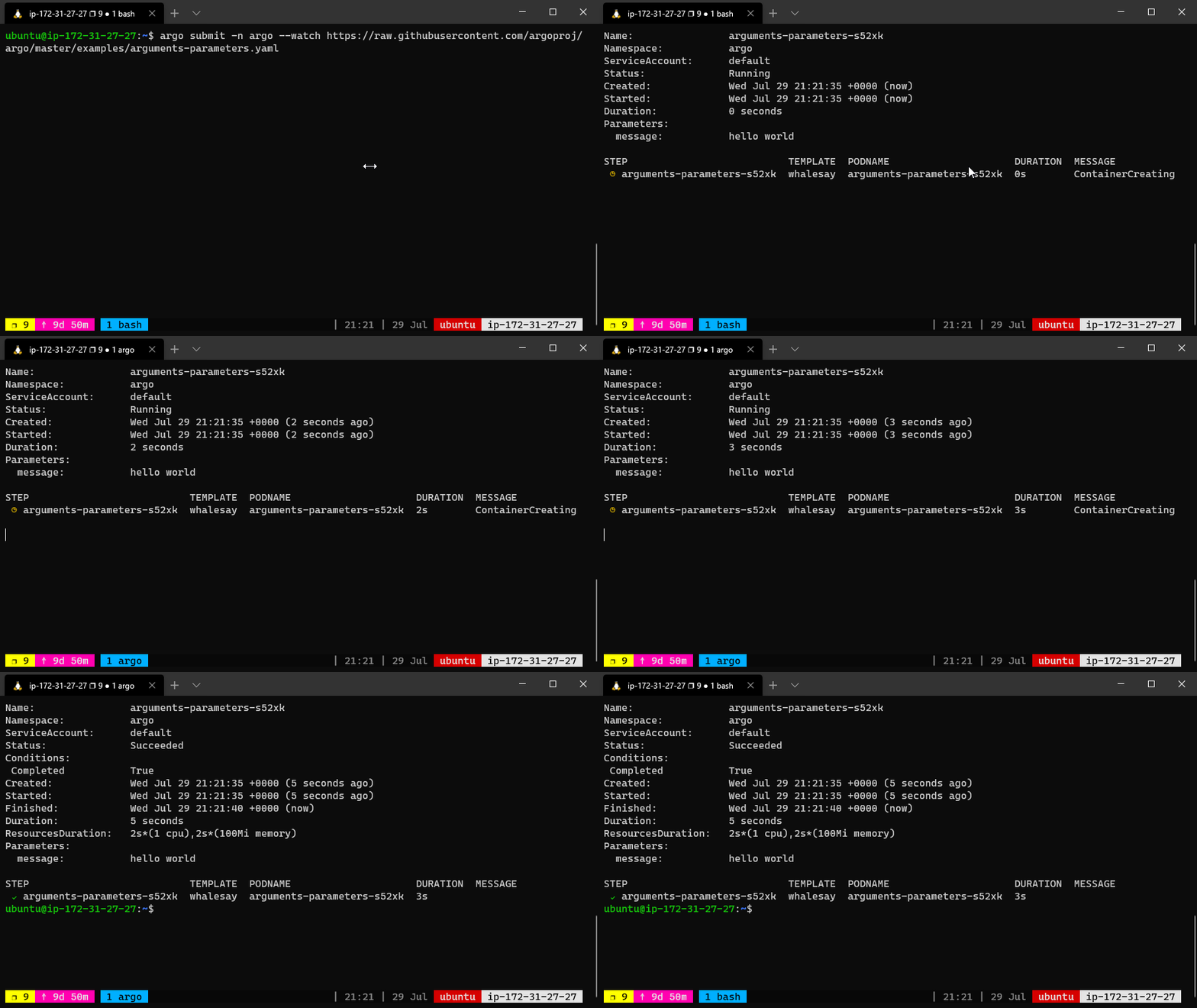
This time, the whalesay template takes an input parameter named message that is passed as the args to the cowsay command.
In order to reference parameters (e.g., "{{inputs.parameters.message}}"), the parameters must be enclosed in double quotes to escape the curly braces in YAML.
The argo CLI provides a convenient way to override parameters used to invoke the entrypoint. For example, the following command would bind the message parameter to “goodbye world” instead of the default “hello world”.
argo submit arguments-parameters.yaml -p message="goodbye world"In case of multiple parameters that can be overriten, the argo CLI provides a command to load parameters files in YAML or JSON format. Here is an example of that kind of parameter file:
message: goodbye worldSave this as params.yaml, then run:
argo submit arguments-parameters.yaml --parameter-file params.yamlCommand-line parameters can also be used to override the default entrypoint and invoke any template in the workflow spec. For example, if you add a new version of the whalesay template called whalesay-caps but you don’t want to change the default entrypoint, you can invoke this from the command line as follows:
argo submit arguments-parameters.yaml --entrypoint whalesay-capsBy using a combination of the --entrypoint and -p parameters, you can call any template in the workflow spec with any parameter that you like.
The values set in the spec.arguments.parameters are globally scoped and can be accessed via {{workflow.parameters.parameter_name}}. This can be useful to pass information to multiple steps in a workflow. For example, if you wanted to run your workflows with different logging levels that are set in the environment of each container, you could have a YAML file similar to this one:
| |
Both templates read the same log level. The default entrypoint runs log-a. Its log level defaults to INFO and can easily be changed between workflow submissions using the -p flag.
Steps#
In this example, we’ll see how to create multi-step workflows, how to define more than one template in a workflow spec, and how to create nested workflows. Be sure to read the comments as they provide useful explanations.
| |
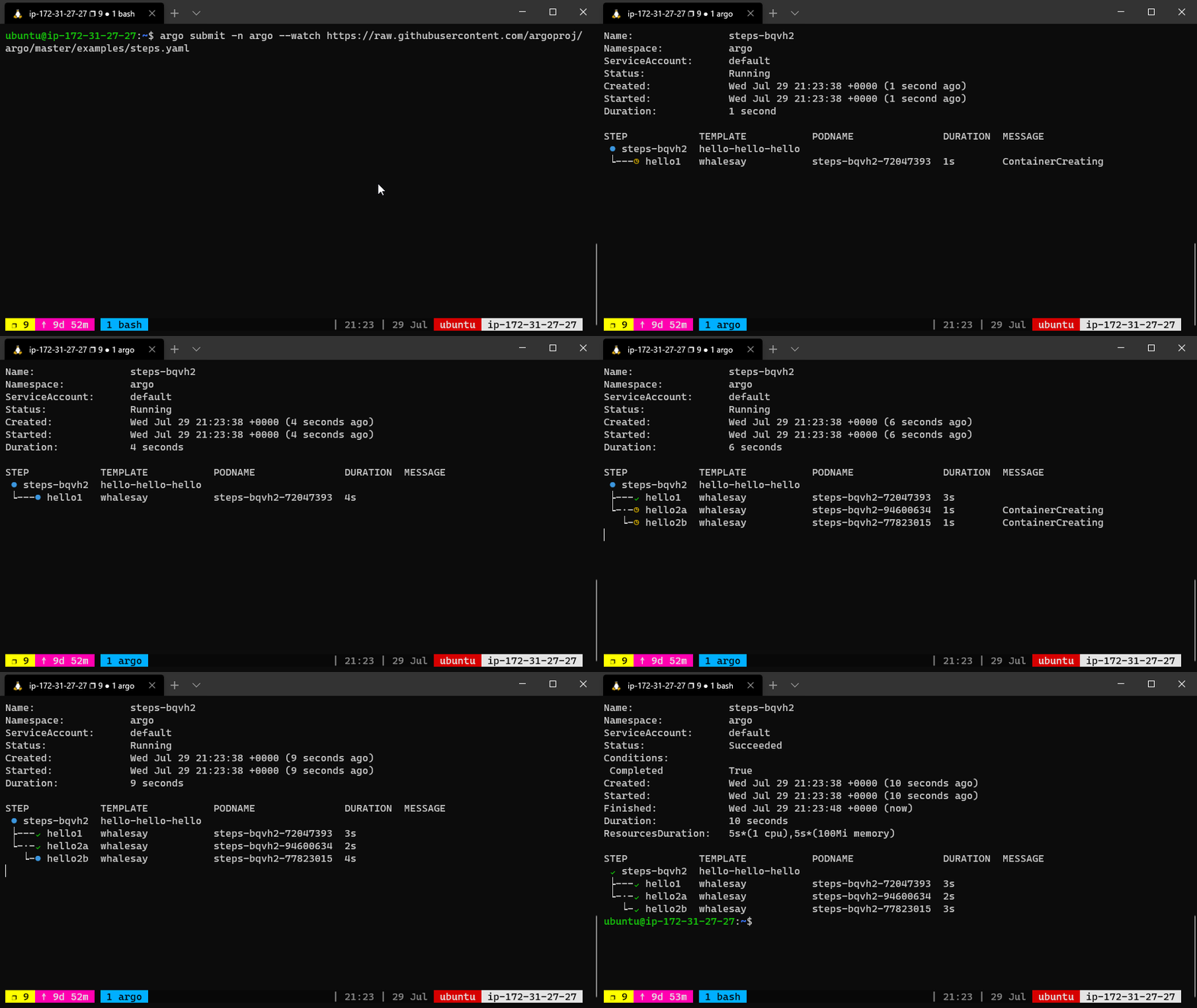
The above workflow spec prints three different flavors of “hello”. The hello-hello-hello template consists of three steps.
The first step named hello1 will be run in sequence whereas the next two steps named hello2a and hello2b will be run in parallel with each other. Using the argo CLI command, we can graphically display the execution history of this workflow spec, which shows that the steps named hello2a and hello2b ran in parallel with each other.
STEP                                     PODNAME
 ✔ arguments-parameters-rbm92
 ├---✔ hello1                   steps-rbm92-2023062412
 └-·-✔ hello2a                  steps-rbm92-685171357
   └-✔ hello2b                  steps-rbm92-634838500
DAG#
As an alternative to specifying sequences of steps, you can define the workflow as a directed-acyclic graph (DAG) by specifying the dependencies of each task. This can be simpler to maintain for complex workflows and allows for maximum parallelism when running tasks.
In the following workflow, step A runs first, as it has no dependencies. Once A has finished, steps B and C run in parallel. Finally, once B and C have completed, step D can run.
| |
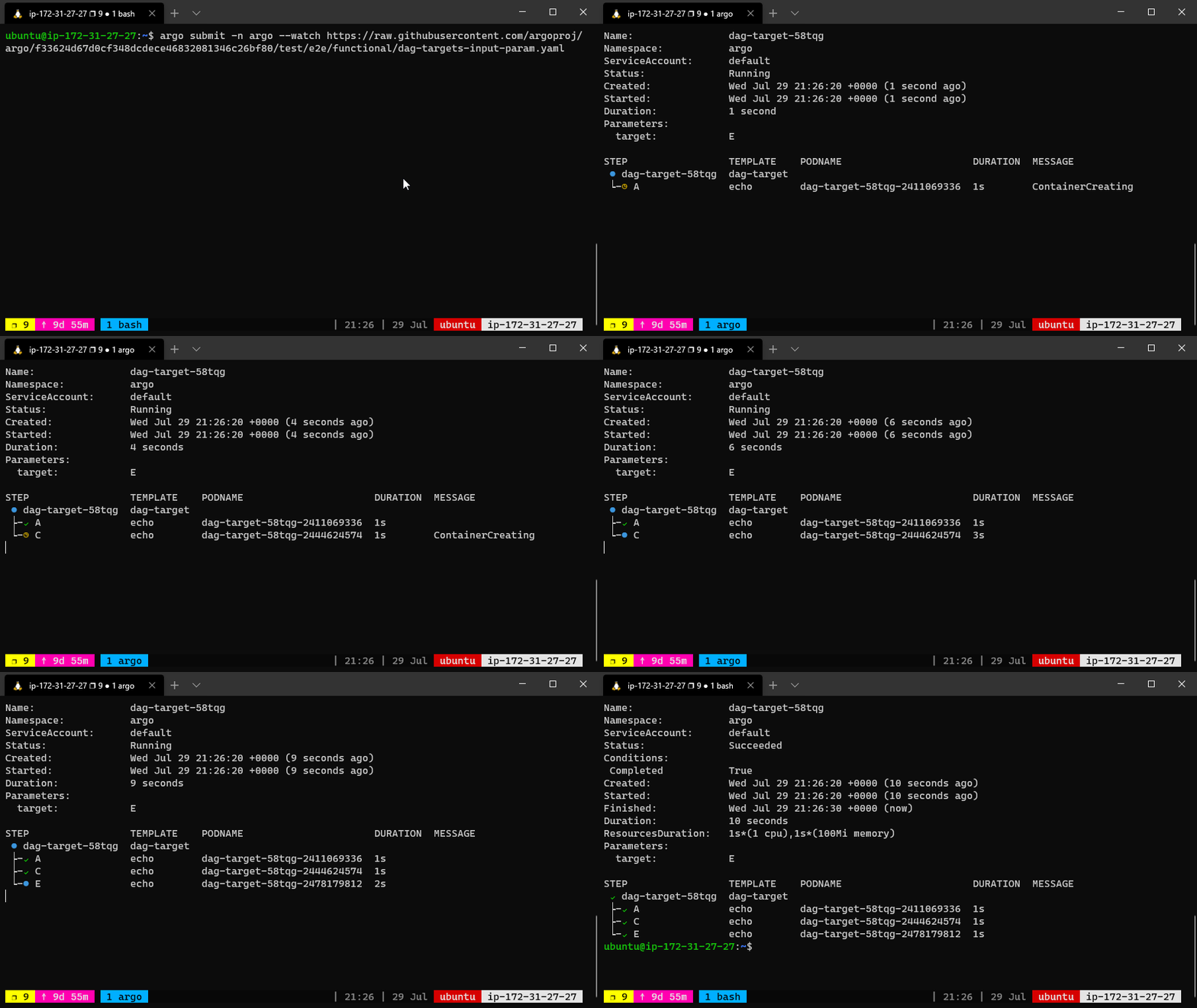
The dependency graph may have multiple roots. The templates called from a DAG or steps template can themselves be DAG or steps templates. This can allow for complex workflows to be split into manageable pieces.
The DAG logic has a built-in fail fast feature to stop scheduling new steps, as soon as it detects that one of the DAG nodes is failed. Then it waits until all DAG nodes are completed before failing the DAG itself.
The FailFast flag default is true, if set to false, it will allow a DAG to run all branches of the DAG to completion (either success or failure), regardless of the failed outcomes of branches in the DAG. More info and example about this feature at here.
Artifacts#
Note: You will need to configure an artifact repository to run this example. See Argo Getting Started and the artifact repository documentation.
When running workflows, it is very common to have steps that generate or consume artifacts. Often, the output artifacts of one step may be used as input artifacts to a subsequent step.
The below workflow spec consists of two steps that run in sequence. The first step named generate-artifact will generate an artifact using the whalesay template that will be consumed by the second step named print-message that then consumes the generated artifact.
| |
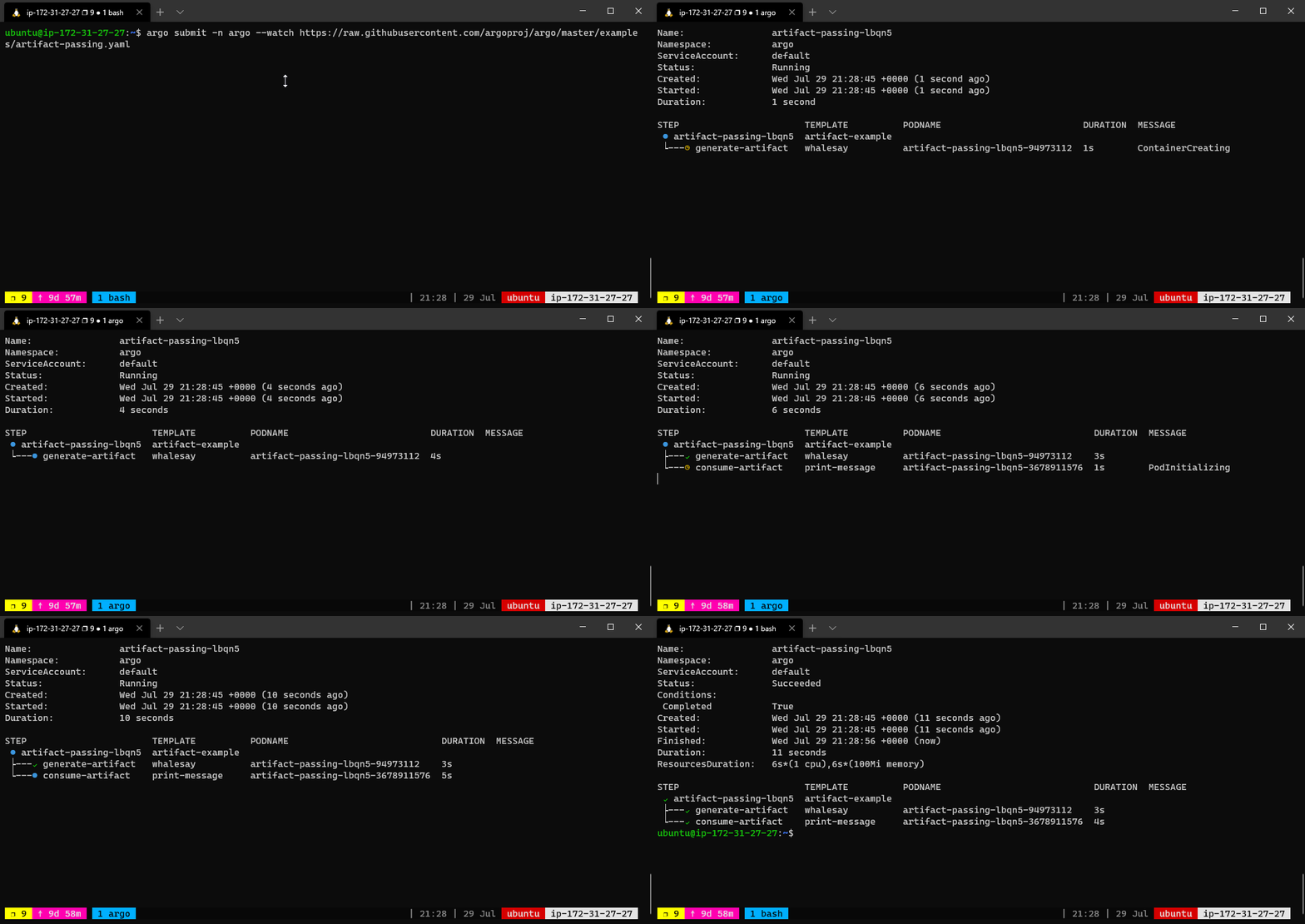
The whalesay template uses the cowsay command to generate a file named /tmp/hello_world.txt. It then outputs this file as an artifact named hello-art. In general, the artifact’s path may be a directory rather than just a file. The print-message template takes an input artifact named message, unpacks it at the path named /tmp/message and then prints the contents of /tmp/message using the cat command.
The artifact-example template passes the hello-art artifact generated as an output of the generate-artifact step as the message input artifact to the print-message step. DAG templates use the tasks prefix to refer to another task, for example {{tasks.generate-artifact.outputs.artifacts.hello-art}}.
Artifacts are packaged as Tarballs and gzipped by default. You may customize this behavior by specifying an archive strategy, using the archive field. For example:
| |
The Structure of Workflow Specs#
We now know enough about the basic components of a workflow spec to review its basic structure:
- Kubernetes header including metadata
- Spec body
- Entrypoint invocation with optionally arguments
- List of template definitions
- For each template definition
- Name of the template
- Optionally a list of inputs
- Optionally a list of outputs
- Container invocation (leaf template) or a list of steps
- For each step, a template invocation
Conclusion#
To summarize, workflow specs are composed of a set of Argo templates where each template consists of an optional input section, an optional output section and either a container invocation or a list of steps where each step invokes another template.
Note: The container section of the workflow spec will accept the same options as the container section of a pod spec, including but not limited to environment variables, secrets, and volume mounts.
Similarly, for volume claims and volumes.